
Blog · July 8, 2026
Why old photos fade and how to bring the color back
The chemistry behind fading film, and what automatic color correction can realistically recover.
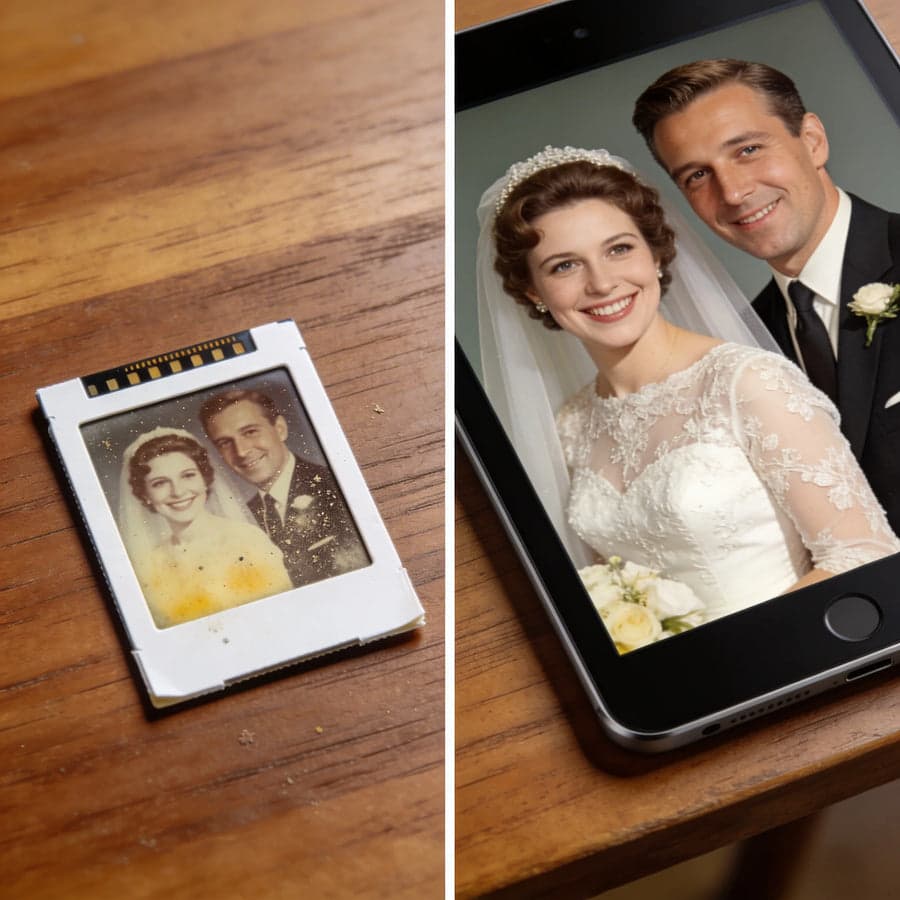
Pull a slide from 1975 out of its box and it looks brown, dark, and disappointing. Scan it with color correction and people are often startled by how much comes back. Here is what is happening.
Why film fades
Color film holds three dye layers: cyan, magenta, yellow. They decay at different speeds, and cyan usually goes first, which shifts everything toward red and orange. The image information is not gone, it is unbalanced.
What correction can do
Because the damage is mostly imbalance, software can measure the shift and counter it. Scanners with built-in restore features do this at capture time: backlight compensation lifts the dark areas and automatic color correction rebalances the three layers. Skin tones, skies, and foliage typically return to plausible color without any manual work.
What correction cannot do
- Recover areas where the emulsion is physically destroyed by mold or scratches
- Rebuild detail from film that was badly overexposed when shot
- Fix focus that was never there
The rule of thumb: if you can see the subject when holding the film to a lamp, a corrected scan will usually be worth keeping.
Scan even the bad ones
Storage conditions keep working on the film. A mediocre scan today preserves more than a perfect scan planned for someday. Scan everything, delete nothing, and let the family decide what matters.
Ready to scan your own archive
The MemoryVault Box digitizes 35mm negatives and slides in 3 seconds per photo, no computer needed, with a 90-day money back guarantee.
Get the Box, from $149.99